
Every chart has a signal. Read it in seconds.
Snap any chart or type a US ticker. Primo Trade's AI reads the trend, the pattern, the volume and the sentiment, and gives its signal from Strong Sell to Strong Buy, with the reasons beside it.


Primo Trade gives AI-generated analysis for information and education. It is not financial advice. Markets carry risk; do your own research before you trade.
Your Analyses
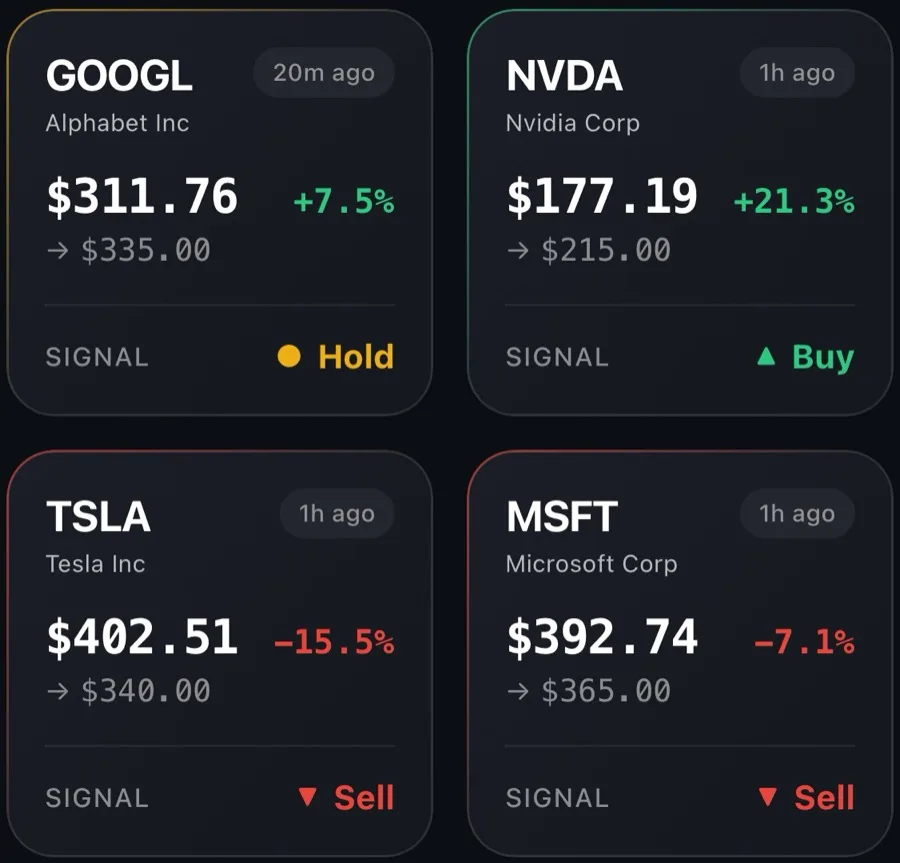

Signals
5
From Strong Sell to Strong Buy
Strong SellHoldStrong BuyPrimo Score
0–100
On each of five dimensions
Risk · Sentiment · Technical · Fundamental · Growth
Stocks
~16,000
US-listed stocks and ADRs
AAPL MSFT NVDA TSLA and more
Languages
8
English and seven more
EN DE ES FR IT JA PT TR
No guesswork. Every part of the read, shown.
Four parts of one result screen, from an example NVDA read in February 2026.
Example, Feb 2026
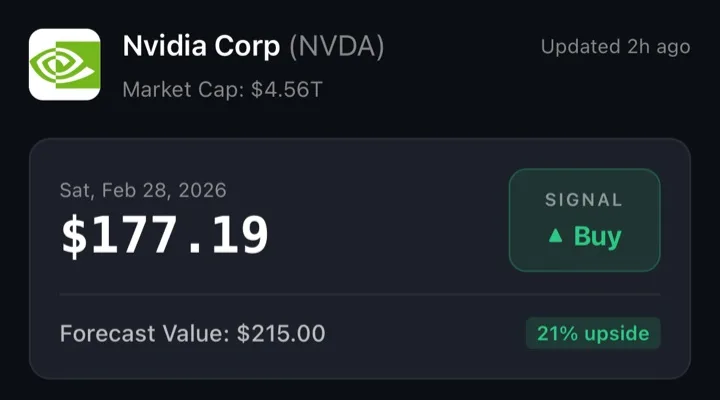
The signal and the Forecast Value
Strong Sell to Strong Buy, never buried in a wall of text. For a ticker, the model's 6 to 12 month estimate on the price chart, left out when there is no defensible target.
Example, Feb 2026
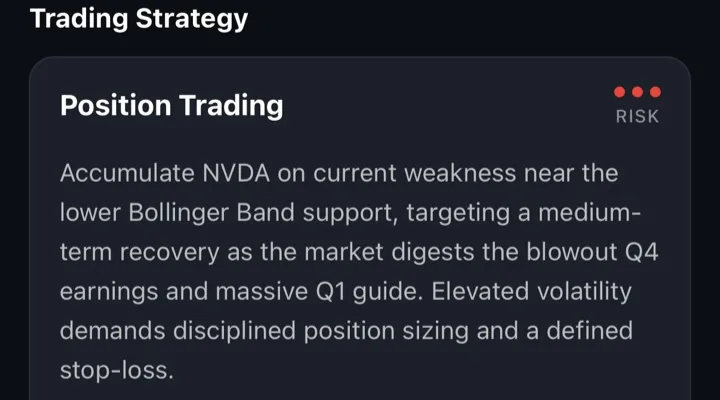
Trading Strategy
Day Trading, Swing Trading, Position Trading, Long-Term Hold or Avoid, with a risk level and a few action points.
Example, Feb 2026
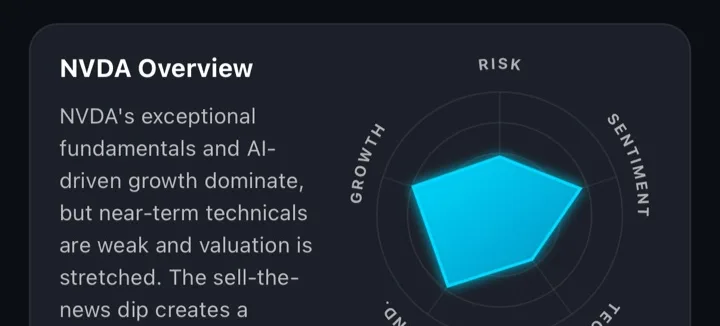
Primo Score
Risk, Sentiment, Technical, Fundamental and Growth, each from 0 to 100 on one radar, with a short summary.
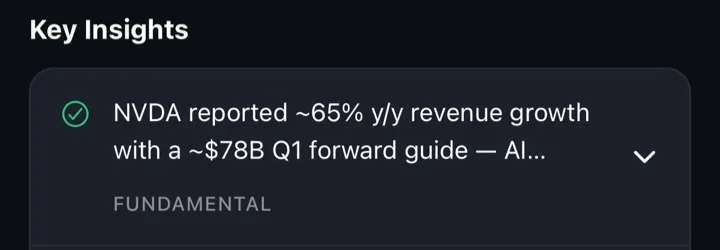
Example, Feb 2026
Key Insights and Recent News
Up to three insights, each tagged technical, fundamental, news or sentiment. For a ticker, the latest headlines too.
Screens from an example NVDA analysis, February 2026, not a current signal.
Two ways in. One result.
Photograph a chart or type a US ticker. Both end on the same result screen, and both stay in your history.
Snap or type
Photograph a chart, pick a screenshot, or type a ticker. A photo that is not a chart is turned away.
The AI reads the data
From a chart: trend, volatility, volume, sentiment and the pattern. From a ticker: prices, news and financial metrics.
One result screen
The signal, Primo Score, Trading Strategy and Key Insights, plus Forecast Value and Recent News for a ticker.
Kept in your history
Every analysis stays on the home screen, so you can come back to what the AI read and when.
What a signal is, and is not.
A second opinion with its reasons laid out, never advice and never a trade.
A signal is
- A second opinion on the chart in front of you
- The reasons laid out: scores, insights and news you can check
- A risk level on every strategy idea, and Avoid when the AI reads one
A signal is not
- Financial advice, or a call fitted to your situation
- A forecast of what will happen: the Forecast Value is a model estimate
- A broker: it never places a trade
Learn to read the chart yourself
Guides to charts, signals and the numbers behind them, written so you can check a read yourself.
Frequently Asked Questions
Questions people ask about Primo Trade
Is Primo Trade financial advice?
No. It gives AI-generated analysis of market data and news for information and education. It does not know your goals or your situation, and every decision stays yours.
Can I analyze a screenshot from my broker?
Yes. Take a photo of a chart on any screen or choose a screenshot from your gallery. When the AI reads a US ticker off the image, it runs the full ticker analysis.
Which stocks does it cover?
Ticker search covers US-listed stocks and ADRs. A chart photo can be any chart; its full ticker analysis needs a US ticker.
What does the Primo Score measure?
Five scores from 0 to 100 on one radar: Risk, Sentiment, Technical, Fundamental and Growth.
How much does it cost?
Primo Trade is free to download, with free analyses to start. Premium is a subscription through the App Store or Google Play.
Do I need an account?
No. Sign in with Apple, Google or email to keep your history across devices, or skip and use it as a guest.
Get the AI's read on your next chart.
Free to download on iPhone and Android, with free analyses to start.