You spend Sunday evening drawing the same trendlines on twenty charts, and somewhere around chart fourteen an ad shows you a chart that drew its own. That is the TrendSpider pitch, and this TrendSpider review checks it against the company's own plan pages.
The short answer: TrendSpider is a full research platform that automates trendlines, Fibonacci levels and pattern detection, and every plan gets every feature; what you pay more for is capacity, and on the cheapest plan the cap that matters most is a two-hour floor on scans and backtests. It suits a trader who will actually use scans, alerts and backtests. It is a lot of machinery if all you want is a second read of one chart.
Every plan detail below was read on TrendSpider's site on November 13, 2026, as a US visitor. Prices are left out on purpose: the page was running a Black Friday sale that day, with discounts that change by plan, by payment term and by week, so any figure here would be stale before you read it.
We publish Primo Trade, an AI chart and stock analysis app, and it comes up once near the end because it does a narrower job.
What TrendSpider Actually Is
TrendSpider calls itself automated technical analysis software, and the feature list on its pricing page backs that up. It lists 300+ indicators, chart pattern recognition, automated trendlines and Fibonacci levels, multi-timeframe analysis, its own Raindrop chart type, backtesting and forward testing, market scanners, alerts and no-code trading bots.
Around that core sit fundamentals, analyst estimates, Federal Reserve economic data, seasonality profiles, unusual options flow and a quant model lab for building machine learning models. It runs in a browser, on desktop, through browser extensions and in native iOS and Android apps.
The data list matters if you trade more than stocks. Real-time US equities and ETFs are free for non-professional users, global forex and crypto are real-time too, and futures and options data are paid add-ons. CBOE indexes are delayed by 10 to 15 minutes.
The Automation Is the Point
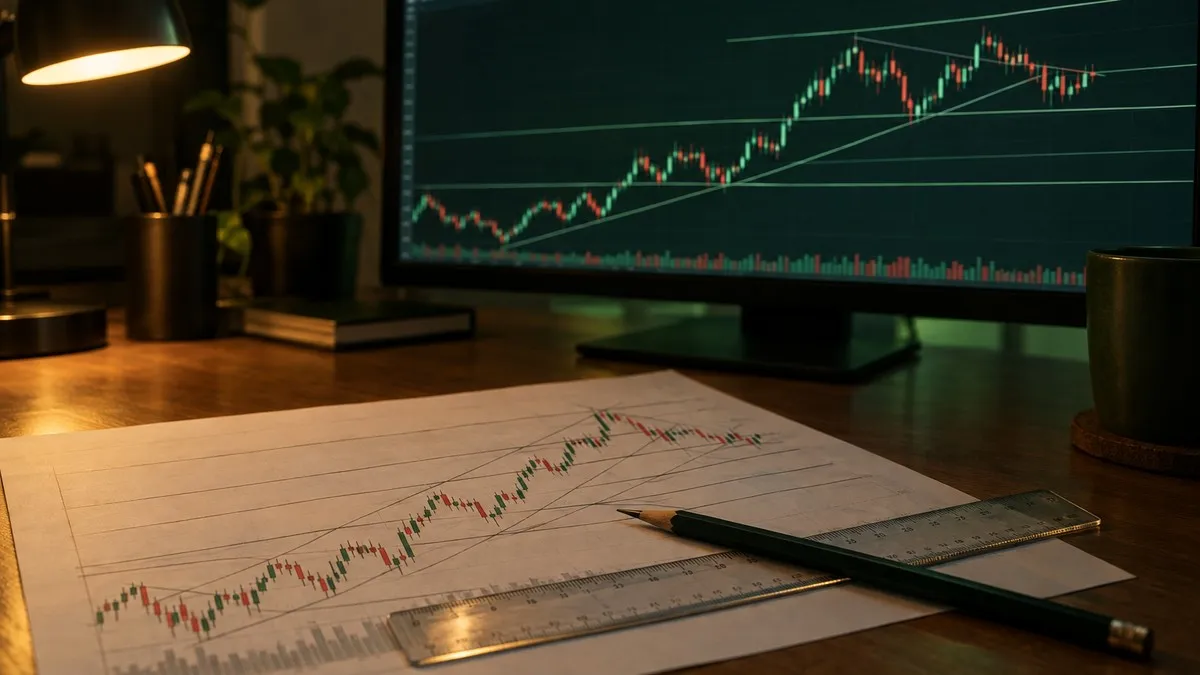
Most charting platforms hand you a ruler. TrendSpider's product page says it finds trendlines, Fibonacci levels and chart patterns for you automatically, and lets you adjust the detection settings to your own approach. Your own drawings then sit on the same chart beside the machine's.
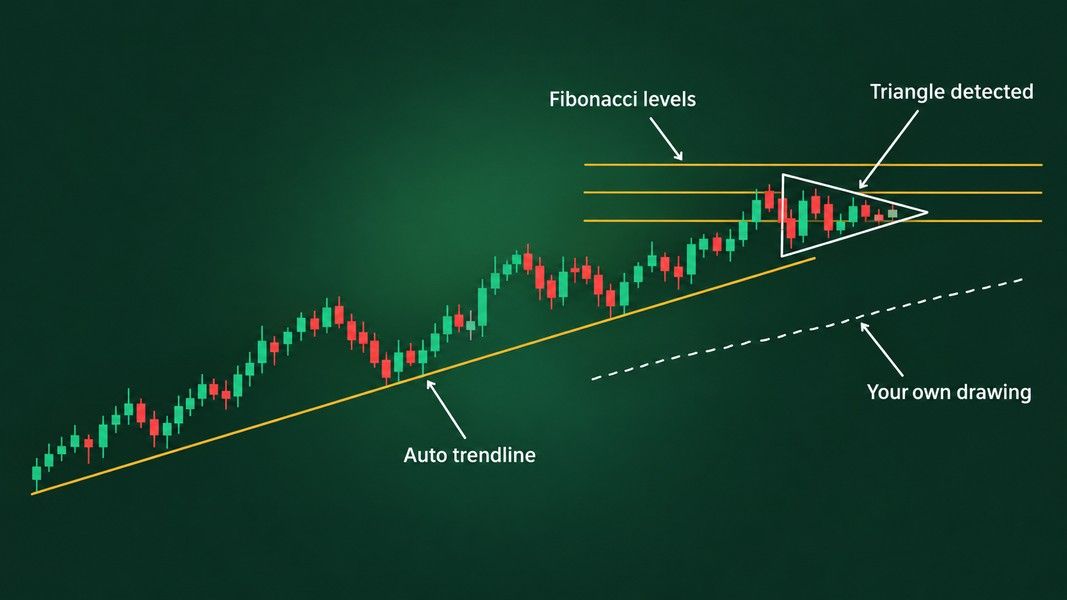
Automated detection saves you the drawing, not the judgment. An auto-drawn trendline is still a line through points an algorithm picked, and a detected triangle still has to break and hold before it means anything. The software is fast at finding shapes; deciding which of them matter is still your job.
What Every Plan Shares
This is the detail that sets TrendSpider apart from most platforms. Each of the four plans, Standard, Premium, Enhanced and Advanced, lists "All TrendSpider features & tools." TrendSpider's help center says the same in plainer words: every plan has full access to all features, and the higher tiers expand core functionality.
So the cheapest plan still has pattern recognition, automated trendlines, scanners, backtesting, bots and the Sidekick AI assistant. You never pay to unlock a tool. You pay for how many of something you can run, how far back a test reaches and how short a timeframe you can scan.
Every plan charts down to one-minute candles, and every plan card includes 25 Sidekick messages a month. One line further down the same page says all plans include 10 free messages, the kind of small contradiction worth checking on the day you sign up.
TrendSpider Review of the Plan Limits
Here is what changes as you move up, taken straight from the plan cards:
| Plan | Active alerts | Lowest backtest timeframe | Lowest scan timeframe | Scheduled scans |
|---|---|---|---|---|
| Standard | 10, kept 30 days | 2 hours, 2K candles | 2 hours | 3 |
| Premium | 50, kept 90 days | 5 minutes, 10K candles | 5 minutes | 5 |
| Enhanced | 100, kept 180 days | 1 minute, 20K candles | 1 minute | 7 |
| Advanced | 400, kept 365 days | 1 minute, 30K candles | 1 minute | 10 |
Open workspaces run 5, 10, 15 and 20 across the four plans, and live trading bots 5, 10, 50 and 100. The two upper plans add priority support by phone and Zoom, and Advanced includes up to 52 one-on-one training sessions a year against one on Standard.
The Two-Hour Floor on Standard
The Standard plan lets you look at a one-minute chart but not scan or backtest anything shorter than two hours. That single line decides whether Standard fits you.
A swing trader who works from daily and four-hour charts barely notices it. A day trader who wants to scan for five-minute breakouts, or test a rule on fifteen-minute candles, can do neither on Standard and lands on Premium at the least.
The 2,000-candle backtest depth is short too. On a daily chart that is roughly eight years of trading days, and on a two-hour chart far less. TrendSpider sells a separate upgrade that lifts Standard and Premium to 20,000 candles, and CoinQuant's backtesting roundup names that depth cap as a common frustration among TrendSpider users.
Alerts That Expire
Ten alerts that last 30 days is the other tight spot. A dynamic alert in TrendSpider can follow a trendline, an indicator or a pattern as it moves, which is one of the platform's best ideas. On Standard you get ten of them, and they lapse after a month. Anyone watching more than a handful of setups will feel this before the backtest limit.
Sidekick: The AI Inside TrendSpider
Sidekick is TrendSpider's built-in AI assistant. The product page describes it marking chart levels, examining earnings call transcripts, comparing a stock with its sector and researching several symbols at once. The plan page also lists machine vision analysis powered by Sidekick, so it can look at a chart as well as at the data behind it.
The included allowance is 25 messages a month on every plan, which is less than one a day. More messages come from a separate Sidekick subscription: Basic raises the cap to 100, Plus to 300 and adds three frontier models, and Max goes to 1,000. If Sidekick is the reason TrendSpider interests you, plan on a second subscription, because the base allowance runs out after a few real conversations.
An AI reading a chart has limits that do not change with the vendor. It sees the candles in front of it and nothing about what happens next, and a pattern that is still forming can read as finished. Our guide to how AI reads a stock chart walks through where that kind of reading goes wrong.
The Mobile App Trails the Web Platform
TrendSpider is built for a big screen. The pricing page lists native iOS and Android apps, and the US App Store listing showed 4.3 stars from 350 ratings, with version 1.7.15 as the latest release, when we checked.
The written reviews behind that score date from 2021 to 2023 and say the same thing: the web platform is excellent and the app trails it, with a small chart area, limited drawing and an iPad layout that does not scale to the screen. TrendSpider's reply to one of them said it was adding as many web features as it could, "but we had to start somewhere." Whether the gap has closed since, the listing does not say, so treat the app as a companion for checking charts and alerts, and plan to do the real work on a computer.
What Users Say About TrendSpider
On its Trustpilot profile, TrendSpider holds a 4.8 TrustScore from 926 reviews, 89% of them five stars and 4% one star. Trustpilot's own summary credits fast, helpful support and the depth of the platform.
Two things are worth weighing beside that score. The profile is claimed and on a paid Trustpilot subscription, and TrendSpider invites its customers to leave reviews, which tends to lift a rating. In its favour, it has replied to 81% of negative reviews.
The complaints that recur across review sites are the learning curve and the plan caps covered above. Neither is a surprise for a platform this broad, and both are things a trial can test.
Trial and Refund Terms
There is no free plan for the platform. TrendSpider offers free market pages, daily scanner emails and a learning center, but the charting platform itself starts with a paid trial, which ran seven days on the day we checked.
The sale terms matter more than the size of the discount. Promotional plans are final and non-refundable, though you can cancel future renewals or change plans at any time. If you buy during a sale, assume you are committed for the whole term you picked, so use the trial to hit the limits in the table before you choose a plan and a term.
Who TrendSpider Suits
Match the plan to the timeframe you actually trade:
- Swing traders who scan and backtest on daily or four-hour charts: Standard covers it, as long as ten alerts are enough
- Day traders who scan or test intraday: Premium at the least, for five-minute scans and backtests
- Systematic traders running many bots or long tests: Enhanced or Advanced, where one-minute backtests and deeper history live
- Anyone who mostly wants a clean chart with a few indicators: probably not TrendSpider, and our guide to TradingView alternatives covers lighter tools with free tiers
Where Primo Trade Fits Instead
Primo Trade, our own product, is not a TrendSpider replacement. It has no drawing tools, no scanner, no alerts, no backtests and no bots. You take a photo of a chart on your monitor, or choose a screenshot from your gallery, and the AI reads the trend, volatility, volume and sentiment, names the chart pattern it sees and explains what that pattern usually signals. Type a US ticker instead and it reads prices, recent news and financial metrics.
Each result carries a Signal from Strong Buy to Strong Sell as the AI's read, a Primo Score across five areas and a Trading Strategy idea with a risk level.
Primo Trade gives AI-generated analysis for information and education. It is not financial advice. Markets carry risk; do your own research before you trade.
It covers US-listed stocks and ADRs only, runs on iOS and Android with no web version, and is free to download, with free analyses to start. TrendSpider is where you build and test a process; a second read of a chart you already have is a smaller, different job.
Conclusion
TrendSpider gives every plan every tool, so a TrendSpider review comes down to capacity rather than features. Standard suits swing traders who work above the two-hour timeframe and can live with ten alerts, while anyone scanning or testing intraday needs Premium or higher.
Sidekick includes 25 messages a month, and more means a second subscription. The mobile app is a companion to the web platform rather than a replacement, and plans bought on sale cannot be refunded. Read the plan cards on the day you buy, because during a sale they change from one week to the next.